


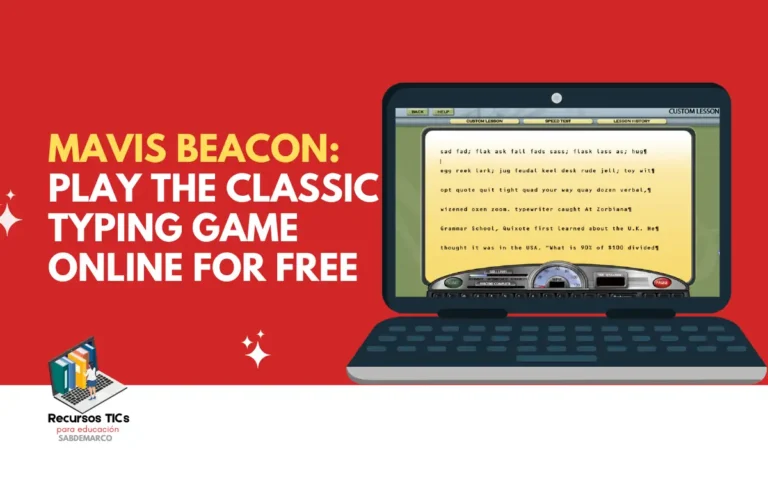
Mavis Beacon Teaches Typing is a classic educational typing program that you can now experience online for free through your web browser. It helps children, teenagers, and adults improve keyboard accuracy, typing speed, and computer skills through interactive lessons and practice activities. Originally popular in the 1980s and 1990s, this memorable learning experience is now accessible through a browser-based version designed for different screen sizes, including desktop computers, laptops, tablets, and smartphones.
All our educational resources are free! We are an independent EdTech organization and are not affiliated with Argentina’s Ministry of Education or any other government agency. If you’d like to support us in creating more educational content for your technology classes and other subjects, you can make a donation of any amount. Thank you so much for your support! 🙂
What Is Mavis Beacon Teaches Typing?
Mavis Beacon Teaches Typing is an educational software series designed to teach touch typing, the ability to type without constantly looking at the keyboard. First released in 1987, the program became a familiar part of computer education in American schools and homes. Instead of asking students to memorize keyboard positions without guidance, it introduces letters, words, and increasingly challenging exercises. Learners gradually develop better control of their fingers while practicing an essential digital skill used for writing, studying, and communicating.
The original Mavis Beacon software stood out because it combined structured instruction with interactive activities and performance feedback. Students could practice the home row, learn proper finger placement, complete timed exercises, and work toward improving their results. For many people who attended computer classes during the 1990s, the program represents one of their first experiences with educational technology. Today, its familiar approach remains useful because typing is still important for school assignments, online communication, office work, and everyday computer use.
Keep reading: Math Blaster In search of spot: online games
Why Is Mavis Beacon Still Popular?
The appeal of Mavis Beacon comes from its simple educational goal: making typing easier through regular practice. Unlike activities that focus exclusively on speed, typing lessons encourage students to recognize keyboard patterns, reduce mistakes, and build confidence. This gradual learning process is particularly helpful for beginners who use only one or two fingers to type.
Additionally, the Mavis Beacon 90s experience brings back memories of school computer labs, early Windows computers, and educational PC games. Adults can revisit a familiar program while younger users discover how previous generations learned digital skills.
What Age Is Mavis Beacon Recommended For?
Mavis Beacon can support typing practice from approximately age 7 onward, depending on a child’s reading ability and familiarity with a physical keyboard. The classic program is particularly suitable for elementary school students, middle school learners, teenagers, and adults who want to improve their keyboarding skills.
For younger children, short sessions with an adult or teacher are usually more effective than long typing exercises. Students should first recognize letters, understand basic instructions, and become comfortable finding keys before focusing on speed.
| Age group | Recommended learning activities | Educational goal |
|---|---|---|
| Ages 7–9 | Letter recognition and home-row practice | Keyboard familiarity |
| Ages 10–12 | Short words, sentences, and accuracy exercises | Finger coordination |
| Ages 13–17 | Timed exercises and longer text | Typing fluency |
| Ages 18+ | Speed practice and everyday writing | Productivity and efficiency |
Families looking for a version created specifically for younger learners may also recognize Mavis Beacon Keyboarding Kidz, a separate edition featuring child-oriented activities. However, its content should not be confused with the classic typing program available through this page.
Keep reading: 10 mejores cursos de italiano online para hacer en casa
How to Play Mavis Beacon Online for Free
Playing Mavis Beacon online means accessing the classic typing experience directly through a web browser rather than installing the original desktop software. This version is hosted online, allowing visitors to open the educational program from a compatible device and practice keyboard skills without searching for old installation discs or configuring a traditional Windows computer.
First, open the online game using the following link:
Play Mavis Beacon Teaches Typing Online
Next, follow these steps:
- Open the game in a modern browser such as Google Chrome, Microsoft Edge, Firefox, or Safari.
- Wait for the classic software interface to load.
- Select an available typing lesson or practice activity.
- Follow the on-screen instructions and type the displayed letters or words.
- Review your performance when the activity provides feedback, then continue practicing.
Once the program starts, begin with simple exercises rather than choosing the most difficult activity immediately. Place your fingers on the home row, keep your hands relaxed, and concentrate on pressing the correct keys. As you become more comfortable, practice longer words and sentences. A physical keyboard is recommended because proper finger placement is central to learning touch typing.
Can You Play Mavis Beacon on a Phone, Tablet, or Mac?
The browser-based Mavis Beacon page is designed to be accessible across different screen sizes, including smartphones, tablets, laptops, and desktop monitors. This makes the classic game easier to reach without depending on a particular computer installation. However, responsive screen display does not necessarily mean every keyboard interaction will work equally well on every device.
For the best educational experience, use a laptop, desktop computer, or tablet connected to a physical keyboard. If you are searching for Mavis Beacon for Mac, the browser approach also offers a practical way to access the hosted experience without installing an older Windows edition. Mobile users can explore the interface, although touchscreen keyboards may limit some exercises.
Keep reading: Aprende inglés con el bosque bilingüe para niños de 6 a 10 años
What Games and Activities Does Mavis Beacon Include?
The Mavis Beacon typing program combines educational lessons with interactive practice activities that develop different keyboarding skills. The exact selection depends on the software edition, so not every historical version includes the same games or visual challenges.
The following are the main types of learning activities associated with the classic program:
1. Keyboard Familiarization
Keyboard familiarization activities introduce the location of letters and essential keys. Students learn how to position their hands and identify the home row, usually beginning with A, S, D, F, J, K, and L.
These exercises establish the foundation for touch typing and help beginners become less dependent on looking down while writing.
2. Letter and Word Typing
Letter and word exercises encourage students to type increasingly complex combinations of characters. Instead of working only with isolated keys, learners practice recognizing common sequences and producing them accurately.
This helps develop muscle memory and prepares students for writing complete sentences.
3. Typing Speed Challenges
Speed challenges encourage users to complete typing exercises while monitoring their performance. Some Mavis Beacon editions measure words per minute, allowing learners to compare their results over time.
The educational objective is to improve speed gradually without sacrificing accuracy or creating unnecessary pressure.
4. Accuracy Practice
Accuracy activities focus on reducing typing mistakes and improving control over individual keys. A learner who types quickly but makes frequent errors may benefit more from these exercises than from additional speed challenges.
For example, students can concentrate on commonly confused letters and repeat difficult combinations until their movements become more consistent.
5. Arcade-Style Typing Games
Several editions of Mavis Beacon include arcade-style activities that turn keyboard practice into entertaining challenges. Different versions feature games with themes involving racing, movement, or responding to on-screen prompts.
These activities make repetition more engaging while encouraging concentration, coordination, and faster keyboard responses.
6. Timed Typing Tests
A Mavis Beacon online typing test can be useful for measuring progress after completing several lessons. Timed assessments typically focus on how efficiently users type a given passage within a specified period.
Teachers and parents can use these results to establish realistic goals, while learners can identify whether they need to improve speed, accuracy, or both.
What Skills Can Children Develop With Mavis Beacon?
Mavis Beacon supports the development of keyboarding skills that students can apply across many digital learning activities. Regular practice can help children become more comfortable using computers, especially when exercises match their age and current ability.
The main educational benefits include:
- Touch typing: Students learn to locate keys through finger placement instead of visual searching.
- Hand-eye coordination: Typing exercises connect visual information with controlled finger movements.
- Accuracy: Repeated practice helps learners recognize and correct common mistakes.
- Typing speed: Familiarity with keyboard patterns allows students to write more efficiently.
- Concentration: Completing sequences of letters and words requires sustained attention.
- Digital literacy: Keyboard confidence supports writing assignments, online research, and computer-based learning.
- Independent learning: Structured exercises allow students to practice and recognize gradual improvement.
These skills extend beyond typing lessons. A child who feels comfortable with the keyboard may find it easier to complete homework, write stories, participate in online classes, and use educational applications.
Keep reading: ClueFinders Toy Store: Play the Classic Learning Adventure Online
Mavis Beacon vs. Modern Online Typing Games
Mavis Beacon offers a structured learning experience rooted in traditional computer education, while many modern typing websites emphasize shorter games and browser-native interaction. Both approaches can be useful, but they support different learning preferences.
| Feature | Classic Mavis Beacon | Modern typing websites |
|---|---|---|
| Learning approach | Guided keyboard lessons | Varies by platform |
| Typing practice | Letters, words, and passages | Often short challenges |
| Games | Depends on the edition | Often browser-native |
| Progress feedback | Included in many editions | Depends on the website |
| Educational appeal | Structured, nostalgic experience | Contemporary interfaces |
| Best use | Building foundational skills | Additional daily practice |
For example, a teacher could introduce keyboard positioning through a traditional Mavis Beacon typing class and then encourage students to apply their skills through short, modern typing challenges. Combining structured exercises with entertaining activities can make keyboard practice more varied without losing the educational objective.
How to Improve Typing Skills With Mavis Beacon
Improving typing skills requires consistent practice rather than attempting to achieve high speed immediately. A beginner can start with a manageable daily routine, focusing on precision and gradually introducing more difficult exercises.
Try the following 15-minute practice routine:
- Spend 3 minutes reviewing finger placement and home-row keys.
- Practice individual letters and short words for 4 minutes.
- Complete a longer typing exercise for 4 minutes.
- Use a typing game or timed challenge for 3 minutes.
- Review your mistakes during the final minute.
For instance, a student who types 15 words per minute with frequent errors should initially focus on reducing mistakes rather than attempting to reach 40 words per minute immediately. Once accuracy becomes more consistent, speed may improve naturally as keyboard movements become familiar.
Teachers can adapt this routine for computer classes, while families can use it as a short educational activity at home.
Why Play the Classic Mavis Beacon Typing Program Today?
The classic Mavis Beacon typing tutor remains relevant because touch typing is a practical skill that continues to matter in modern education. Despite advances in voice recognition and touchscreen technology, students still need to write assignments, search for information, communicate online, and work with computers.
Furthermore, accessing a classic educational game through a browser offers an opportunity to explore the history of learning software. Instead of relying on old hardware, visitors can experience a familiar computer program through a modern website.
Whether you remember Mavis Beacon Teaches Typing from the 90s or are discovering it for the first time, the game provides a useful introduction to keyboard practice. Open the browser-based version, choose an activity, and start developing your typing skills at your own pace.
Did you learn to type with Mavis Beacon in school, or are you discovering this classic educational game for the first time? Share your experience in the comments!