

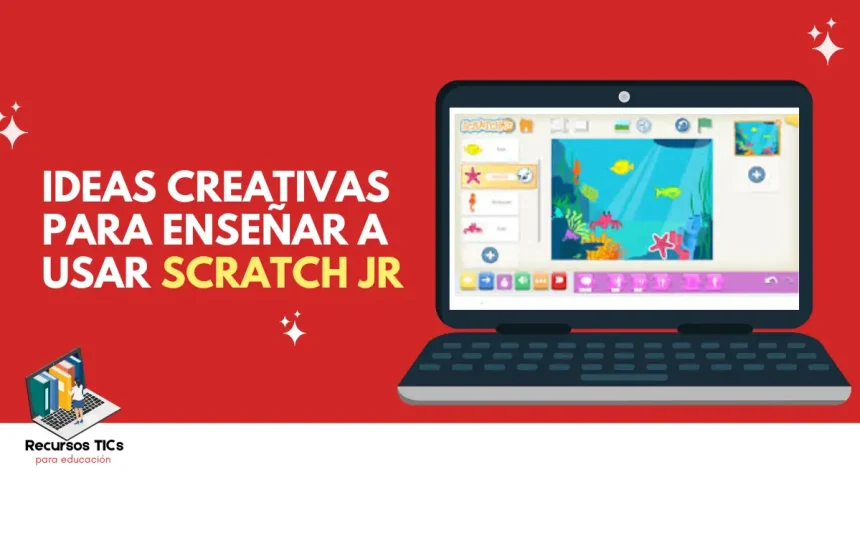
Scratch Jr is one of the most effective tools for introducing children to the world of programming. Designed for kids between 5 and 7 years old, this application allows them to create their own stories, games, and animations without needing to know how to read or write complex code. In this way, they learn by playing and develop key skills for the future.
If you are a teacher or a parent, you will be interested in learning how Scratch Junior works and which projects you can apply in the classroom or at home. In this article you will find a complete guide with step-by-step ideas, teaching resources, and creative proposals so children can learn while having fun.
What is Scratch Jr?
Scratch Junior is a simplified version of Scratch, the popular visual programming language. It is designed for children in early education and the first cycle of primary school, allowing them to connect colorful graphic blocks that represent commands. By combining them, children can make a character move, jump, dance, or talk on the screen, without writing a single line of code.
The main function of Scratch Junior is to introduce young children to computational thinking. Through its use, students learn to plan sequences, identify patterns, and solve problems logically. At the same time, they develop creativity because they can invent original stories, games, or animations with their own characters. scratch login
Benefits of Scratch Jr in the classroom
Using Scratch Jr in the classroom is an excellent strategy to motivate children to learn programming from an early age. Below, we show its main benefits with practical examples.
Boosts creativity
Scratch Jr allows children to experiment with characters, backgrounds, and movements that they design themselves. By being able to modify colors, sounds, and expressions, each project becomes a unique creation. In addition, creativity is not limited to visual art: children learn to combine ideas and bring them to life through programming, which strengthens their capacity for innovation from a very young age.
Improves collaboration and communication
When students work as a team, they have to agree on which character to use, how to organize the story, or which instructions to apply. This process encourages dialogue and active listening among peers. It also helps children practice explaining their ideas in clear language, which strengthens oral communication and socialization within the classroom.
Improves problem solving
Scratch Junior exposes children to simple challenges, such as making a character move from one point to another or perform several movements in order. By trying different block combinations, they discover what works and what doesn’t. This trial and error teaches them patience, logic, and the importance of finding solutions step by step—essential skills in any area of learning.
Makes learning more fun
The gamification offered by Scratch Jr turns each activity into a game where children are the protagonists. Instead of memorizing concepts, they explore, build, and enjoy the immediate results of their programming. This keeps motivation and interest high, creating a positive environment that facilitates the acquisition of new knowledge without pressure.
Projects to do with Scratch Jr
There are many ways to apply Scratch Jr in the classroom and help children learn while playing. Below, we suggest simple projects with clear objectives and easy-to-find resources.
Creating animated stories
With Scratch Jr, children can bring their own stories to life through characters that talk, move, and change scenes. This activity combines literature and technology, transforming storytelling into a visual and interactive experience. It also stimulates creativity because children invent dialogues and adventures in their own way. In this way, they learn to structure stories and express themselves digitally.
- Objective: develop narrative skills.
- Theme: stories, adventures, or invented tales.
- Resources: tablets with Scratch Jr, pre-designed images.
Creating a racing game with Scratch Jr
Races are one of the most attractive proposals for students because they combine excitement and programming. With movement blocks, characters advance as the child defines the instructions. In this way, they discover how loops and sequences work in an entertaining way. In addition, healthy competition and motivation to achieve better results are encouraged.
- Objective: understand sequences and loops.
- Theme: car or animal races.
- Resources: movement blocks, track scenes.
Maze games
Designing a maze in Skratch labs challenges children to use their ingenuity to guide a character to the goal. This type of project promotes logical thinking, as they must anticipate obstacles and plan the correct steps. Teachers can adapt the difficulty according to age or experience. Thus, learning becomes a fun and progressive challenge.
- Objective: encourage strategic planning.
- Theme: paths with traps, adventures.
- Resources: maze templates, pre-designed characters.
Creating a character that dances
Digital dancing is one of the most playful activities within Scratch Jr. Children can program repetitive steps and sequences to the rhythm of selected music. This strengthens understanding of cycles and patterns. At the same time, it motivates them to express themselves artistically and integrate movement, sound, and creativity into a single project.
- Objective: learn cycles and patterns.
- Theme: fun choreographies.
- Resources: movement blocks, digital music.
Creating a character that shows different emotions
Emotion animation in Scratch Jr allows students to better understand how feelings are expressed. Programming a character to smile, get angry, or feel surprised helps work on empathy and emotional education. This proposal integrates digital learning with socio-emotional development. At the same time, children have fun watching expressions change on the screen.
- Objective: identify and express emotions.
- Theme: digital theater.
- Resources: graphic expressions, movement blocks.
Memory games to use with Scratch Jr
Memory games with Scratch Junior are ideal for reinforcing concentration at early ages. By creating interactive cards that flip with a click, children develop visual attention. This dynamic also encourages image association and mental agility. In addition, by customizing the cards with flowers, animals, or characters, the activity becomes more attractive and relatable.
- Objective: improve visual memory.
- Theme: flowers, animals, objects.
- Resources: pre-designed images and simple backgrounds.
Other teaching resources to use with Scratch Jr
In addition to Scratch Jr, there are additional resources that enhance the teaching of programming for young children.
Codingal
It is an online platform that teaches programming to children and teenagers through interactive and practical courses. When combined with scratch jr, it provides a theoretical framework that complements classroom learning. Teachers can use it to introduce concepts of sequences and logic before students apply them directly in the app.
In class, Codingal works as visual and motivating support. Teachers present an example on the platform and then students reproduce it in scratch junior, creating simple stories or games. This way, theory turns into fun practice and children consolidate digital skills from an early age.
Codakids with Scratch Jr
On the other hand, Codakids is another educational platform designed to teach programming through games and dynamic projects. Its approach adapts very well to younger children, as it simplifies concepts that can later be transferred to scratch jr with practical activities.
In the classroom, the teacher can use Codakids as an introduction to a topic and then guide students to replicate it in scratch junior. This helps children understand the logic behind each action while enjoying the creative process. The combination reinforces learning and increases motivation.
Read also: 8 Robotics Activities with Bee Bot to Learn by Playing
Scratch Tactile
Scratch Tactile is a physical resource that uses cards or manipulable blocks to simulate programming instructions. When used with scratch jr, children first understand sequences in a tangible way and then transfer them to the screen, making it easier to understand digital logic.
In the classroom, group activities can be organized where students build a program on the table with cards and then run it in the application. This experience combines play, collaboration, and visual learning. In this way, scratch junior becomes an even more accessible and inclusive tool.
Blockly to learn with Scratch Jr
Finally, Blockly is a visual language created by Google that also uses colored blocks to teach programming. It is considered a natural evolution after learning with scratch jr, as it maintains visual logic while bringing children closer to real code.
Teachers can start with basic projects in scratch junior and, when students gain confidence, move on to Blockly to reinforce more complex concepts. In this way, the transition is gradual and motivating, ensuring that students acquire solid foundations in programming.
Conclusion
Scratch Jr is much more than an application: it is a gateway to programming for young children. With simple ideas, creative projects, and teaching resources, teachers can spark interest in technology from an early age. At the same time, children develop skills that will be essential in the future, such as creativity, collaboration, and problem solving.
This is as far as we go with the information about “Ideas for Teaching Scratch Jr.” We hope it has been useful. Remember that at Recursos TICs you will find resources and tools for your computer classes. Do not hesitate to contact us with any questions or suggestions, Follow me on social media